Real product interface. Agency, client and page names are sample data.
From idea to client offering
One workflow. Your entire offering.
6 areas show you how to prepare pages, client packages and the website chat. Use the arrows to move on or scroll sideways through the views.
01
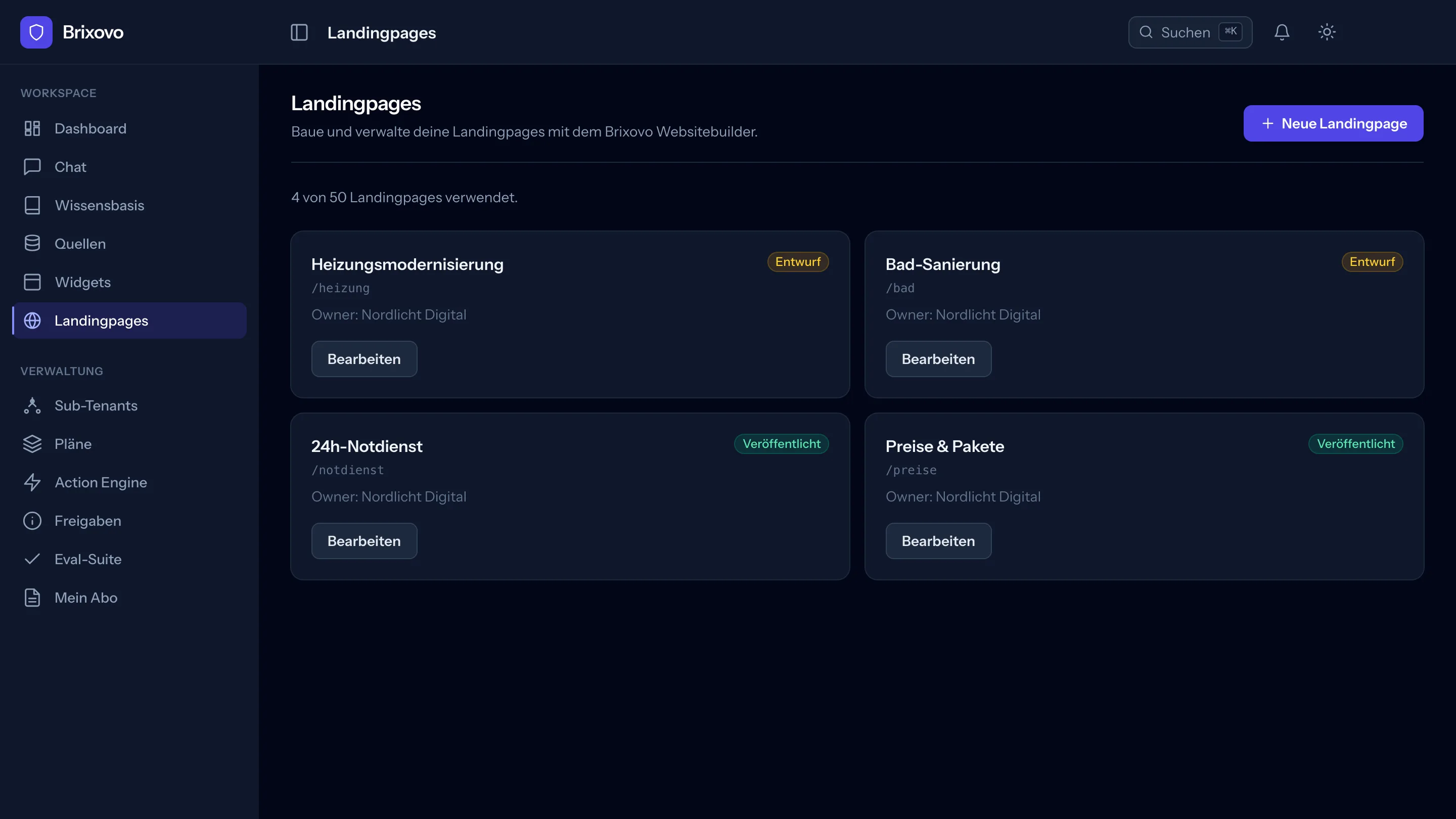
Landing pages for every end client
Each page belongs to a client, has its own path and a visible status: draft or published. Publishing creates a new version — the old one remains as a record.
Draft and live are clearly separated, so nothing goes online by accident
Keep track of your quota: “4 of 50 landing pages used”
Your sub-clients can edit for themselves — if you allow it
02
Your packages, your prices
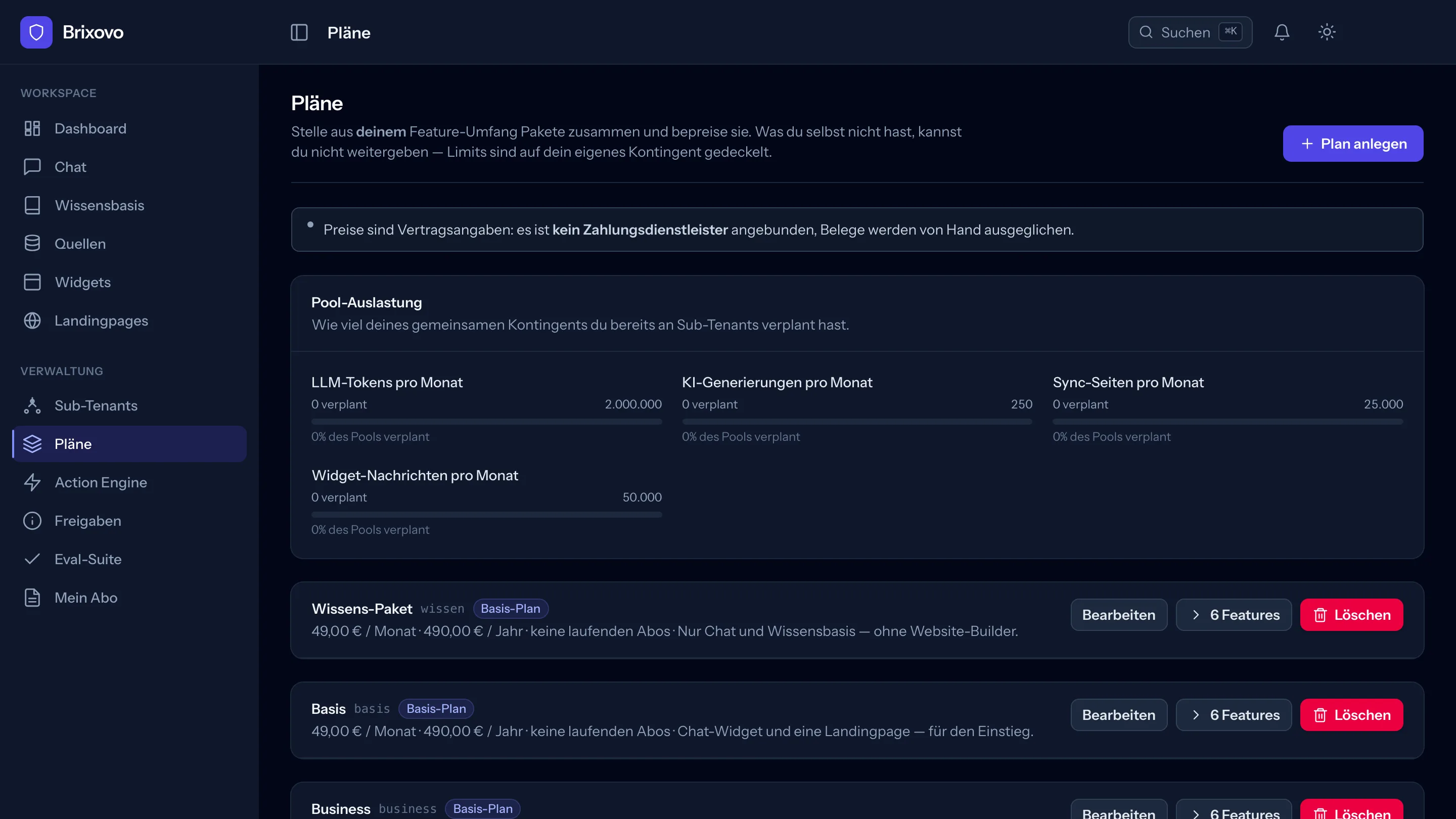
Build packages for your end clients from your own feature set and price them yourself. You cannot pass on what you do not have — limits are capped at your quota.
Pool utilisation shows how much you have already allocated
Set the monthly and annual price for each package freely
A package with active subscriptions cannot be deleted, only deactivated
03
Client knowledge in one place
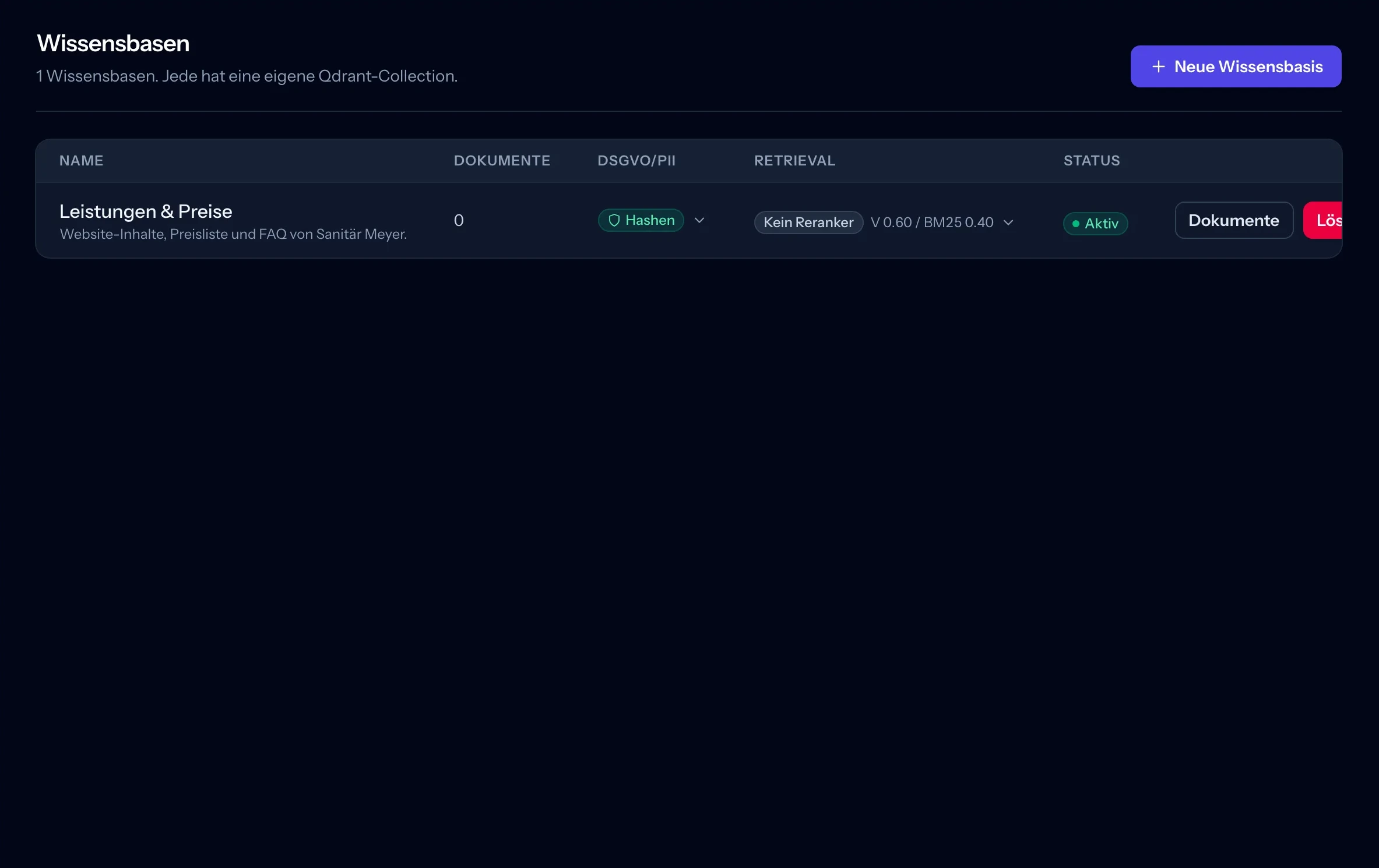
Price lists, services, frequently asked questions: this is where you create your client’s knowledge base. The overview shows which base is active and how many documents have already been added.
In the example, “Services & Prices” is still waiting for its first documents
Open the associated collection via “Documents”
Search settings are right next to the entry
04
The website as a knowledge source
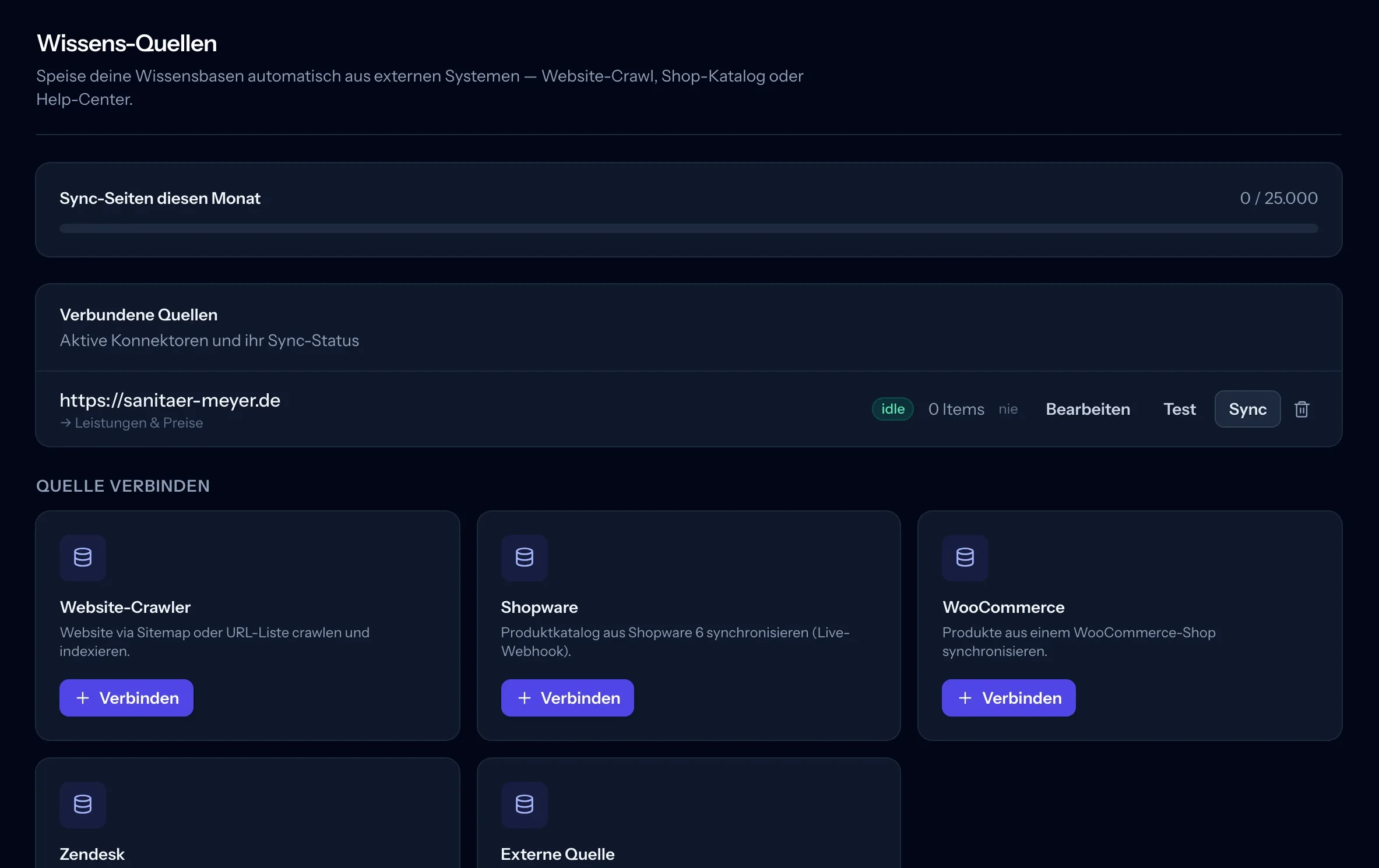
Are the services already on the client’s website? Connect it to the right knowledge base. In this view, you check the connection, start a sync and see whether any content has arrived yet.
The example website is assigned to “Services & Prices”
0 entries and no run yet: the source has been created but not yet synced
Keep track of the monthly quota for synced pages
05
What a conversation looks like
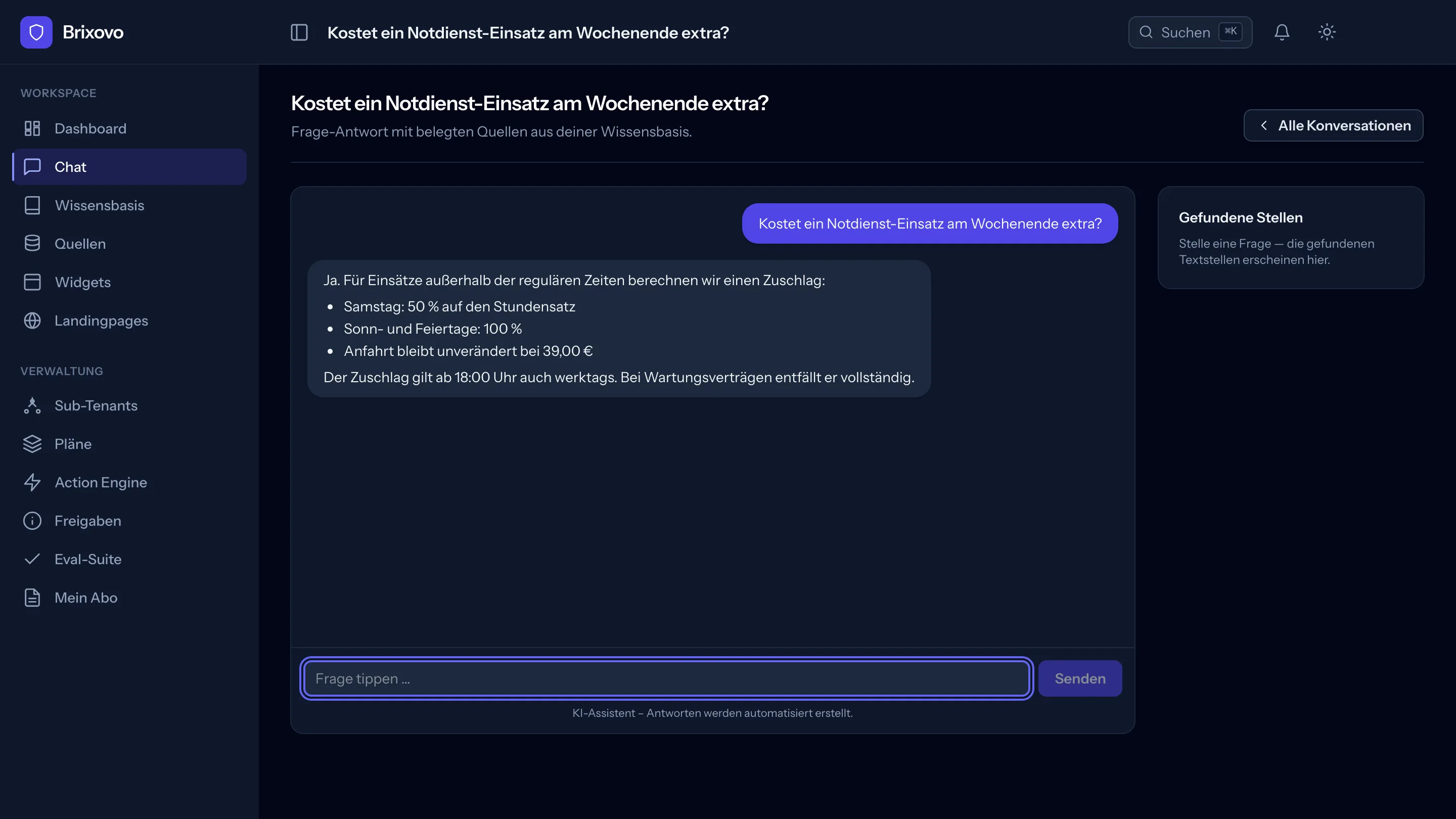
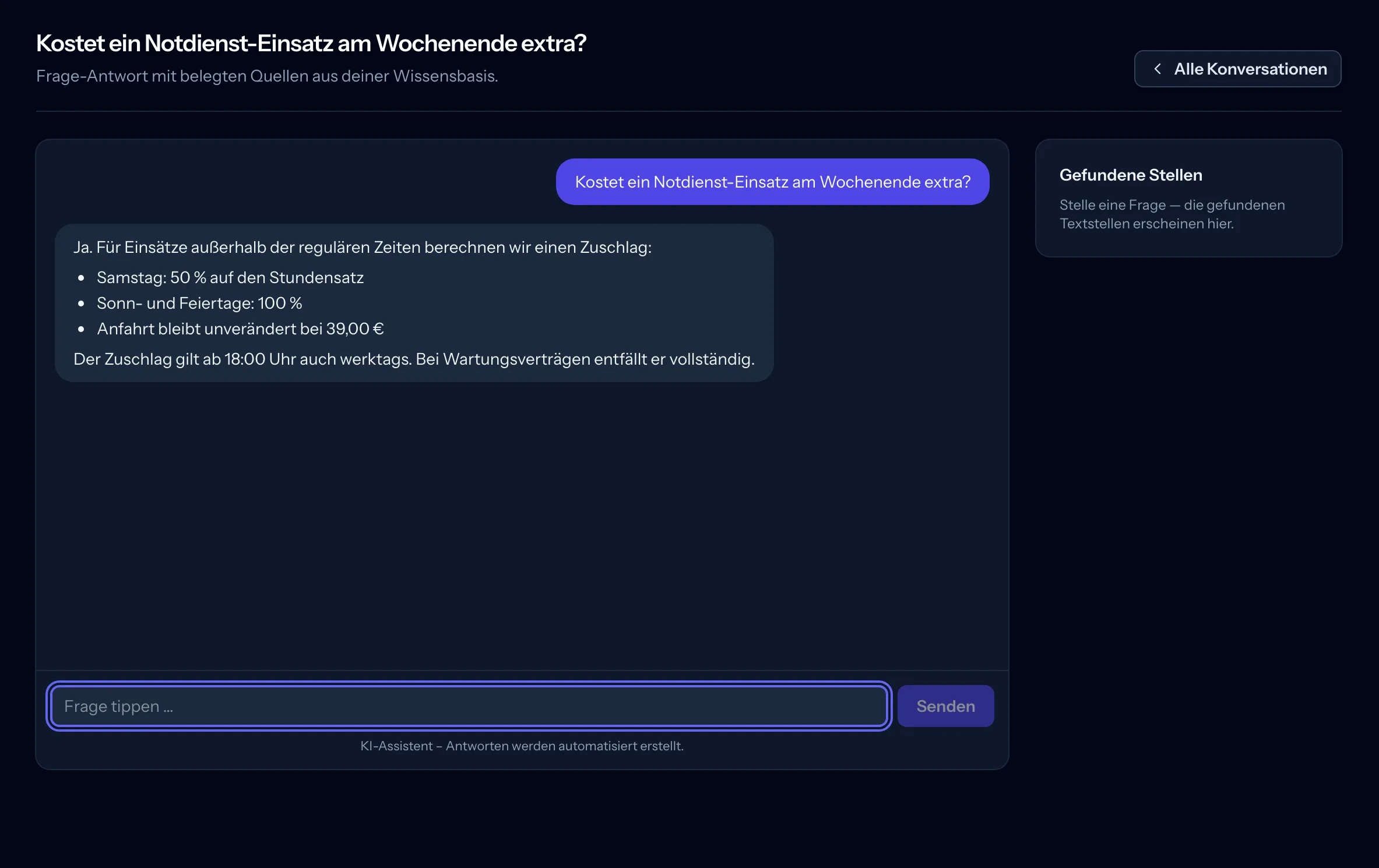
“Does an emergency call-out at the weekend cost extra?” The sample answer lists surcharges and an exception for maintenance contracts. You can ask a follow-up directly below. On the right is space for the matching passages; in this screenshot, that area is still empty.
Questions and answers stay in the same conversation
“All conversations” takes you to the conversation overview
The interface identifies answers as automatically generated
06
Prepare the website chat
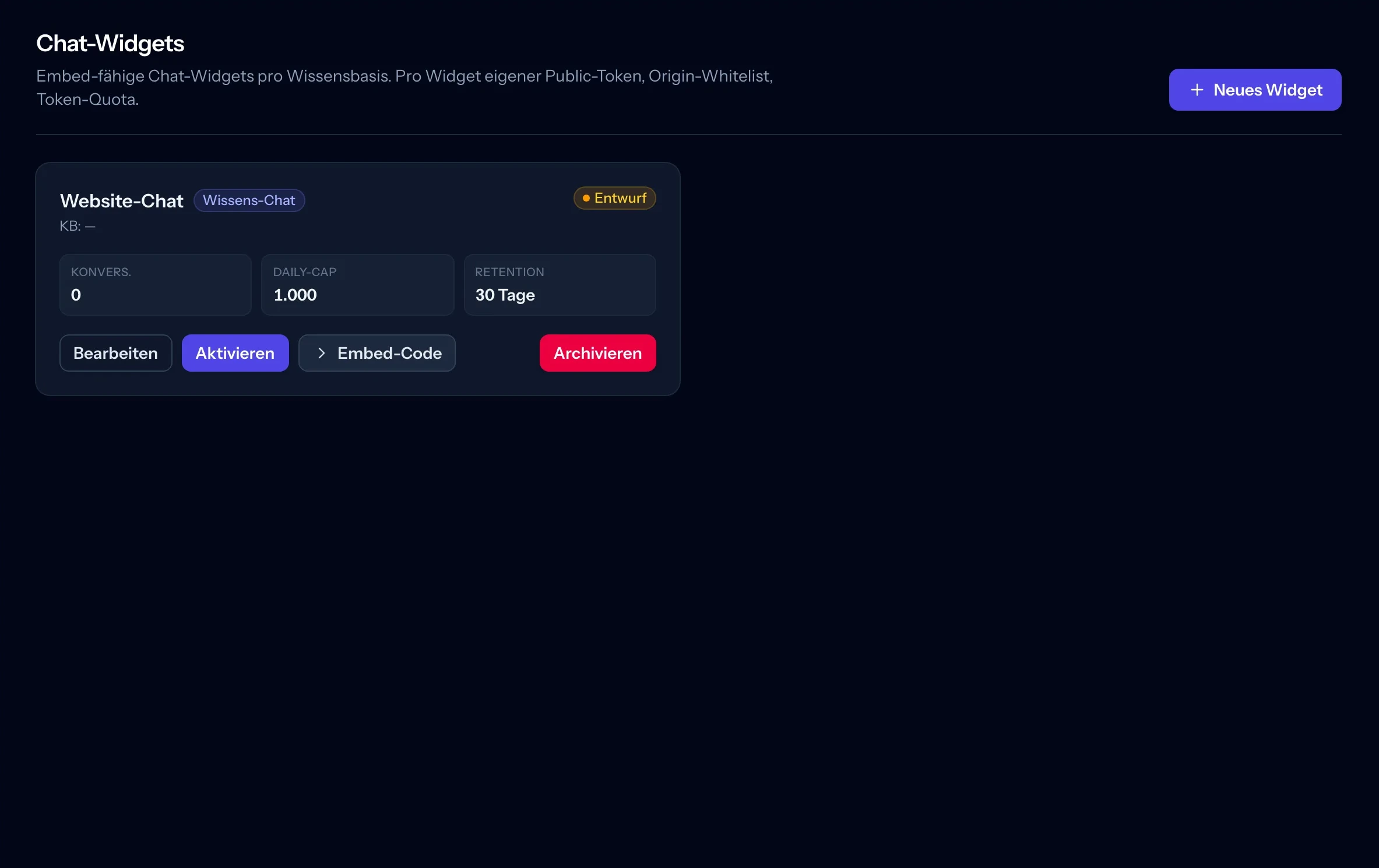
Before the chat goes on the client’s website, you set up its widget. “Website Chat” is still a draft here, with no knowledge base assigned. Edit, Activate and the embed code are accessible directly on the card.
The draft status shows that this widget is not active yet
Conversation count, daily limit and retention period are in one place
You can archive widgets you no longer need
All images come from the application, some cropped without navigation. Names, content and displayed values are sample data. Each image can be enlarged.
One shared platform
The technology behind it. Your brand up front.
Three building blocks, one platform. Instead of piecing together three tools, give your end clients an integrated solution.
↳
RAG chat widget
An embedded AI chatbot that retrieves answers from your end client’s knowledge base. The website, documents and FAQs become a shared foundation.
⊞
Website builder
Drag-and-drop editor for landing pages — no Webflow, no WordPress. Everything under your brand, with drafting and publishing as separate steps.
↗
Reseller pricing
You set the prices for your end clients. Brixovo bills your agency. Your packages remain limited to your own feature set.
How it becomes your product
One assistant. Unmistakably yours.
The experience under your brand: your clients see your agency, your contact person and their own content.