Skip to content
Brixovo

What your customers gain.

Four building blocks that can create something useful for almost any mid-sized business. Below, four industries with the concrete path from the first click to a working chat.

01

The customer’s website becomes a knowledge base

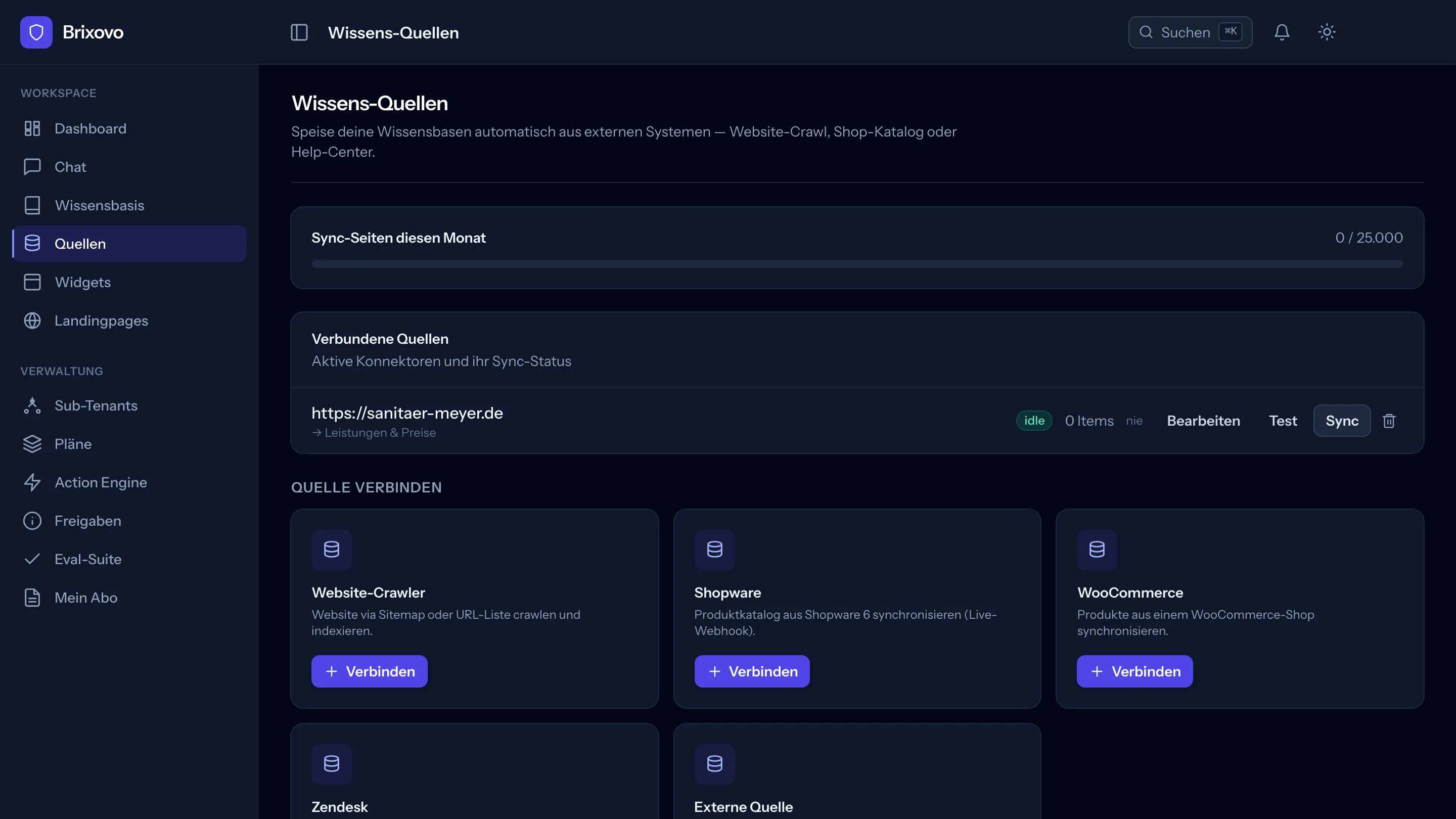
The website crawler is the starting point that works for every end customer. You enter the address; it retrieves the page list and indexes the text. From then on, the chat answers questions about services, prices and opening hours using what is already on the site.

  • The page list comes from the sitemap. The crawler discovers it automatically via robots.txt, /sitemap.xml or /sitemap_index.xml.
  • If a site has no sitemap, you add the addresses as a list. Up to 2,000 pages per source.
  • One sync per day keeps content current. Unchanged pages are identified by a checksum and are not processed again.
  • robots.txt is respected. Anything the site operator has blocked for bots stays out.

Good to know: The crawler reads HTML. It cannot see content loaded later by JavaScript, and PDFs on the site are not recognized as documents. Upload manuals and data sheets directly to the knowledge base.
02

The product catalog comes from the store

Shopware 6 and WooCommerce have dedicated connectors. The catalog enters the knowledge base as text, with article number, price, stock, categories and properties. The chat can then answer questions that would otherwise require a visitor to compare three product pages.

  • Both stores can report changes immediately instead of waiting for the next sync. The webhook is signed per source.
  • The webhook supplies only the product identifier. Brixovo then fetches the data itself through the authenticated API so that a forged request cannot inject content.
  • Reviews can be included. For WooCommerce, without the author’s name or email address.

Good to know: Variants are not maintained as separate entries. For Shopware, exactly one sales channel is read, and the regular sync runs every six hours. The chat therefore knows the state of the last sync, not the checkout in real time.

03

Search you can adapt to your data

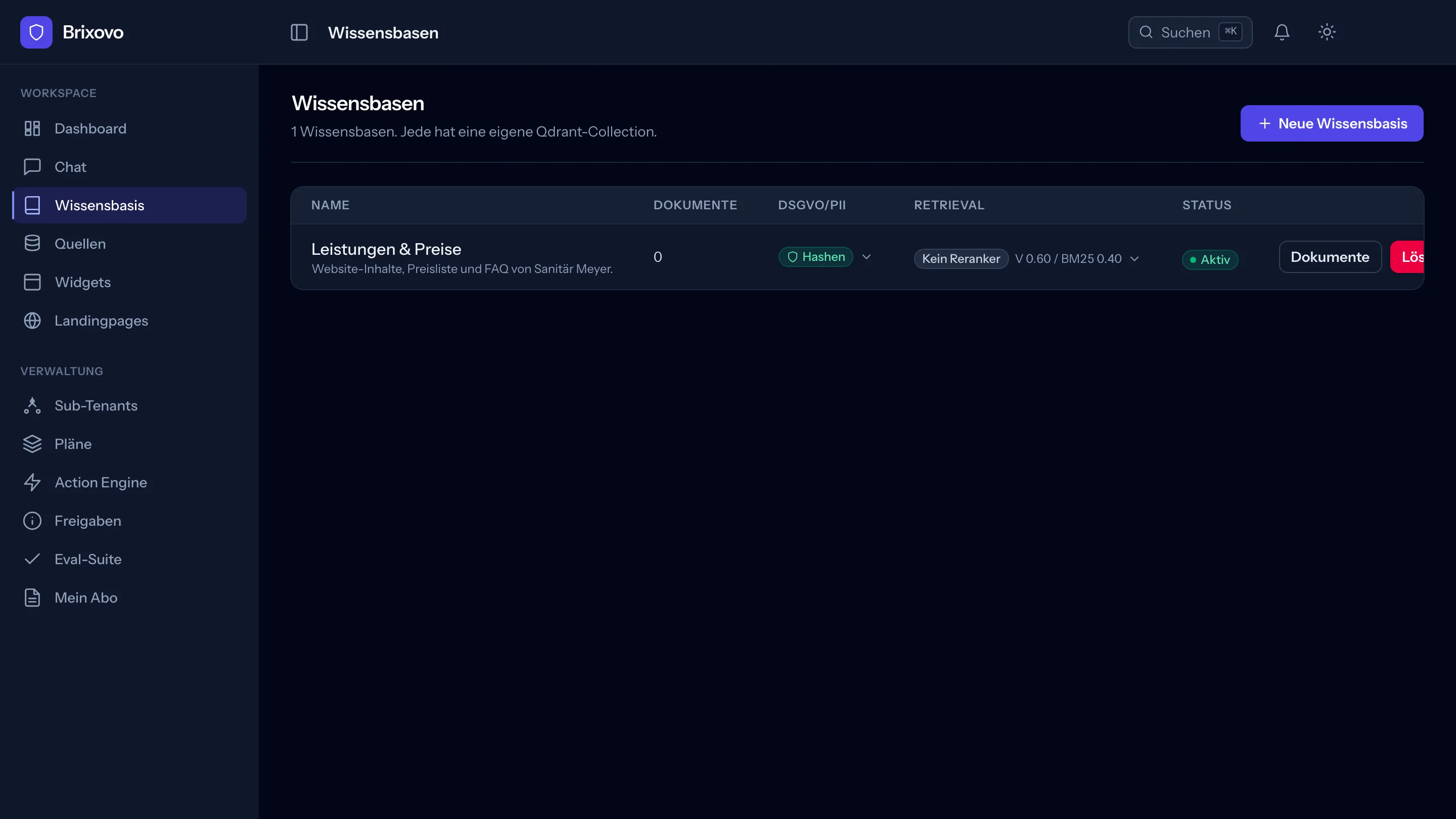
Each knowledge base gets its own collection. Search is hybrid: vector search for meaning, BM25 for the exact term. You set the balance. If your data contains article numbers and model identifiers, raise the BM25 weighting to find what was previously missed.

  • Personal data is handled before the text is sent for embedding. Four modes: pass through, mask, hash or reject the document.
  • Upload documents in the browser: PDF, DOCX, DOC, TXT and Markdown. Scanned PDFs go through text recognition.
  • If search finds nothing suitable, the chat says so instead of making something up.

Good to know: One upload is one file; there is no bulk import. The document list does not refresh automatically; reload the page or wait for the notification.

04

Four chat types for four purposes

The type determines tone and search behavior. Knowledge chat answers neutrally across the whole knowledge base. Product chat gives sales-oriented advice and can be restricted to a single product. Support chat remains patient and refers to people when needed. Lead chat guides visitors toward contact.

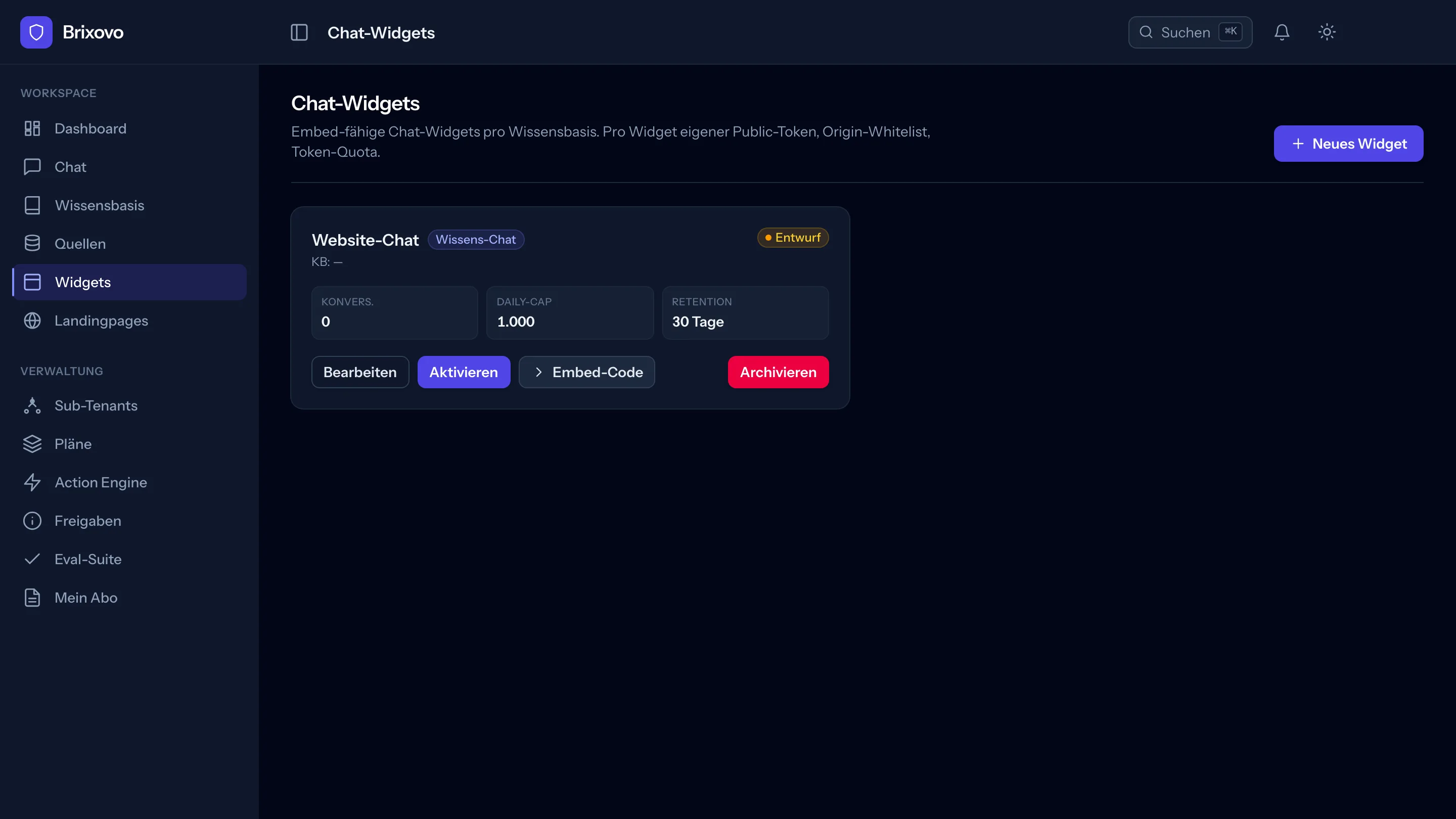
  • Each widget has its own public token and a list of allowed domains. If a domain is not listed, the widget does not load there.
  • A daily limit caps usage per widget. New widgets start as drafts and go live only at the press of a button.
  • The embed code is two lines to copy. Set colors, greeting, logo and avatar in the form.

Good to know: The widget does not show source citations to visitors; these are available only in the logged-in chat. The script and API are hosted on the platform host, so Brixovo is recognizable under the hood. The controls are in German.

Four paths you can complete in an afternoon

Each case names the source, the right chat type and the step that trips you up if you do not know about it in advance.

Shopware 6 or WooCommerce

Online store

A store with a few hundred products. The operator answers the same questions about dimensions, materials and delivery times every day, and all the answers are somewhere in the catalog.

Source:
Shopware-6 or WooCommerce connector
Chat type:
Product chat
  1. Create read access in the store. In Shopware: Settings, System, Integrations; in WooCommerce: Settings, Advanced, REST API.
  2. In Brixovo, select the knowledge base, enter the store address and keys, then connect. The first sync starts immediately.
  3. Ask a few real customer questions in the internal chat and check whether the answers hold up.
  4. Create a Product chat widget, allow the domain, activate it and copy the two lines into the store template.

What the end customer gains

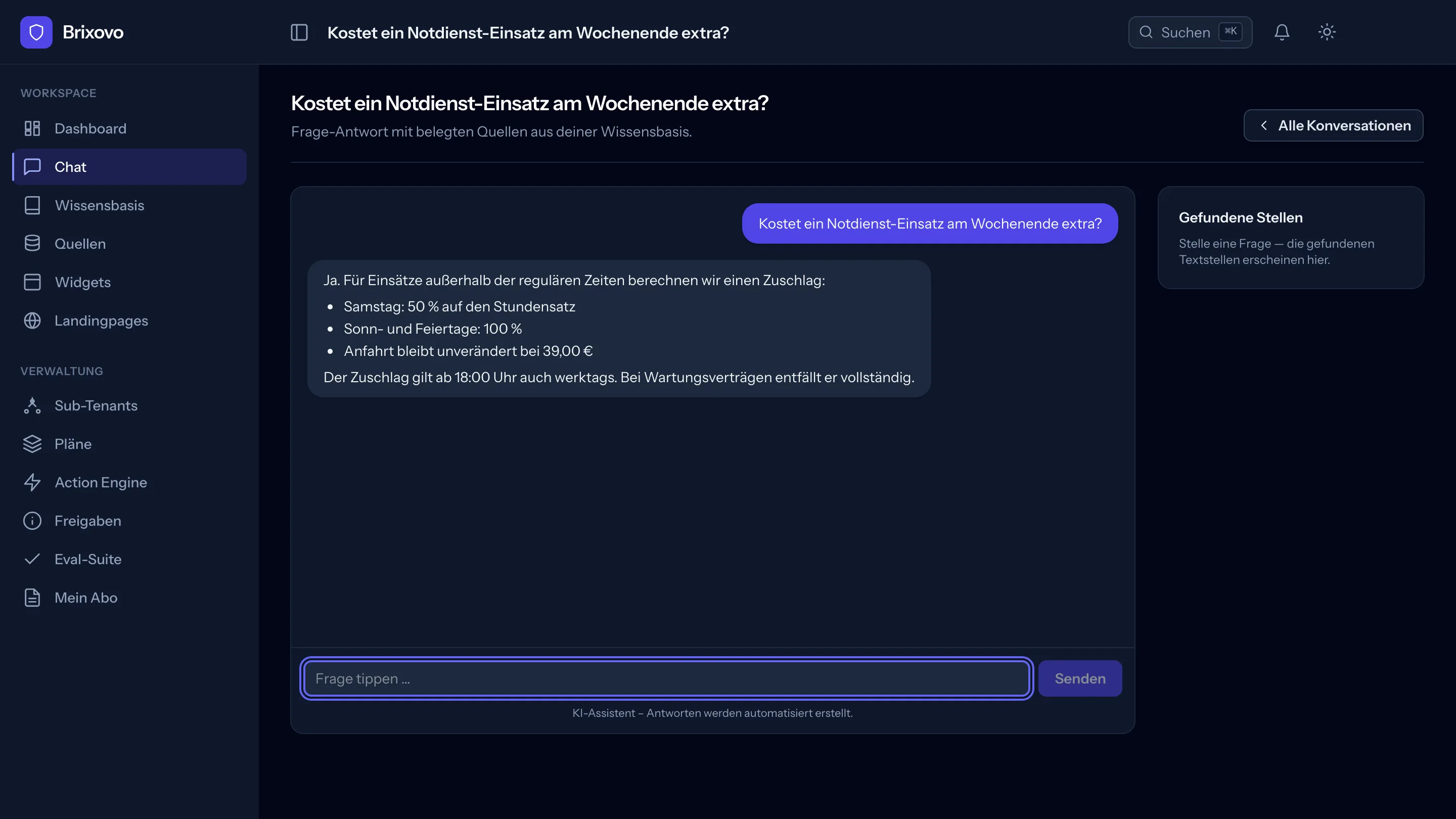
A visitor asks “will this fit under a sink with 60 cm” and gets an answer from the real catalog instead of clicking through data sheets.

Pitfall: If the chat on a product page should know which product is currently open, the product identifier must be included in the embed element. Only the store template knows it; this takes a few lines. Without this step, the chat still works, but knows the whole catalog rather than one page.

Plumbing, electrical, gardening and landscaping

Trades and local service providers

A business with a well-maintained website and a phone that rings during installation work. Most calls ask the same three questions: do you do this, will you come to my location, roughly how much does it cost.

Source:
Website crawler
Chat type:
Lead/sales chat
  1. Create a website source and enter the address. If the crawler finds no sitemap, add the page list.
  2. Upload a price list, service catalog or reference portfolio as a PDF to the same knowledge base.
  3. Create a Lead chat widget and tailor the greeting to the business.
  4. Two lines in the website’s CMS or tag manager.

What the end customer gains

The chat answers standard questions around the clock and guides visitors to the contact form instead of letting a call go to voicemail.

Pitfall: The crawler reads HTML. If the price list is only a PDF on the site, it is not read along with it. Upload it directly to the knowledge base to include it.

B2B with data sheets

Manufacturers and wholesalers

A product range with model identifiers, technical specifications and the recurring question of what is compatible with what. The knowledge is in PDFs that nobody searches.

Source:
Uploaded data sheets, plus the website
Chat type:
Knowledge chat
  1. Create a knowledge base and upload the data sheets. Scanned PDFs automatically go through text recognition.
  2. Increase the BM25 weighting in retrieval settings so that model identifiers and article numbers match exactly.
  3. Generate a question set with the evaluation suite and compare two weightings.
  4. Embed a Knowledge chat widget on the product or service page.

What the end customer gains

The field sales team and the customer ask the same question and get the same answer, without anyone having to find the right PDF.

Pitfall: The evaluation suite measures search, not the finished widget chat. It is strong as a regression test after a change; as proof of quality for a customer, it is valid only to the extent that this distinction is made clear.

Services that need explanation

Law firms, practices, consulting

Many initial inquiries take time and lead nowhere because they concern the process, paperwork and responsibilities. The actual consultation only starts afterwards.

Source:
Website crawler, plus uploaded information sheets
Chat type:
Support chat
  1. Bring the website and information sheets into one knowledge base.
  2. Use the knowledge base’s GDPR mode to decide how personal data in documents is handled.
  3. Create a Support chat widget and write the greeting and referral to a human contact.
  4. Embed it and cross-check in the internal chat before going live.

What the end customer gains

Anyone asking which documents to bring to the initial consultation gets an immediate answer. The office team’s workload is reduced without anyone receiving information they should not receive.

Pitfall: Here, the chat’s wording is not a matter of taste. An assistant that gives specific answers to legal or health questions creates a liability issue. Support chat refers to people on its own; nevertheless, its permitted scope needs to be agreed with the customer before going live.

What stays the same in every case

  • Each end customer gets a separate tenant with their own knowledge base, widget and allowances.
  • You set the prices. Brixovo bills only you and does not appear in dealings with your customer.
  • The chat identifies itself as AI. The transparency notice under Article 50 of the EU AI Act is set at platform level and cannot be switched off.

Connecting your first customer takes an afternoon.

The beta is limited to 20 agencies, with a 50 percent discount for life.